Authentication/SSO/MFA (FAQ)
Enterprise AI agents need to securely access both the GUIDE platform and the applications required to perform their work.
GUIDE separates platform access from agent execution, enabling organizations to control who can build, administer, publish, and invoke agents while independently managing the credentials and permissions agents use when executing workflows.
Because GUIDE agents run in controlled remote Windows desktops, authentication can also be separated from the user's active desktop session, allowing work to be delegated to an agent without requiring the user to surrender control of their PC.
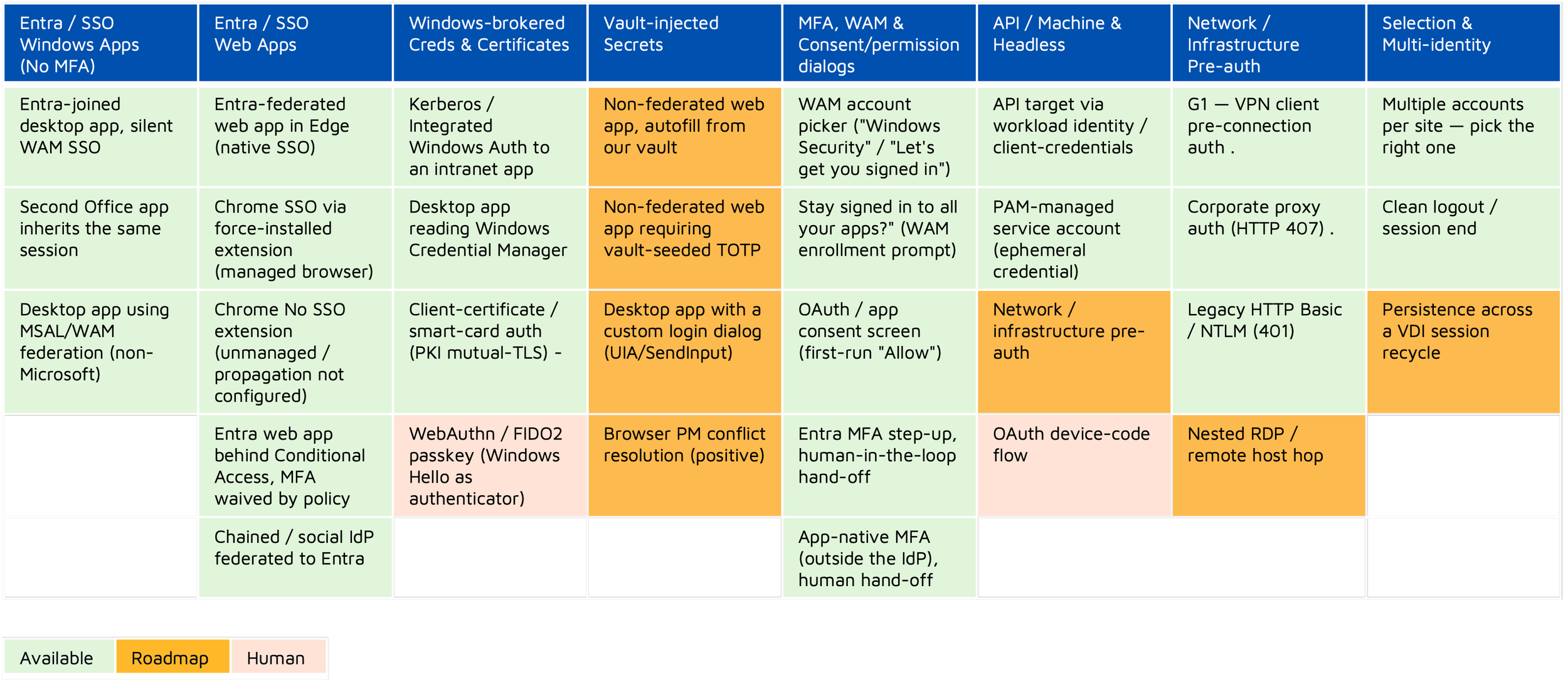
The chart below captures how GUIDE Harness handles different forms of application auth from a SSO/MFA perspective.